



How to Choose and Register an ETR Machine in Kenya (2026 Guide)

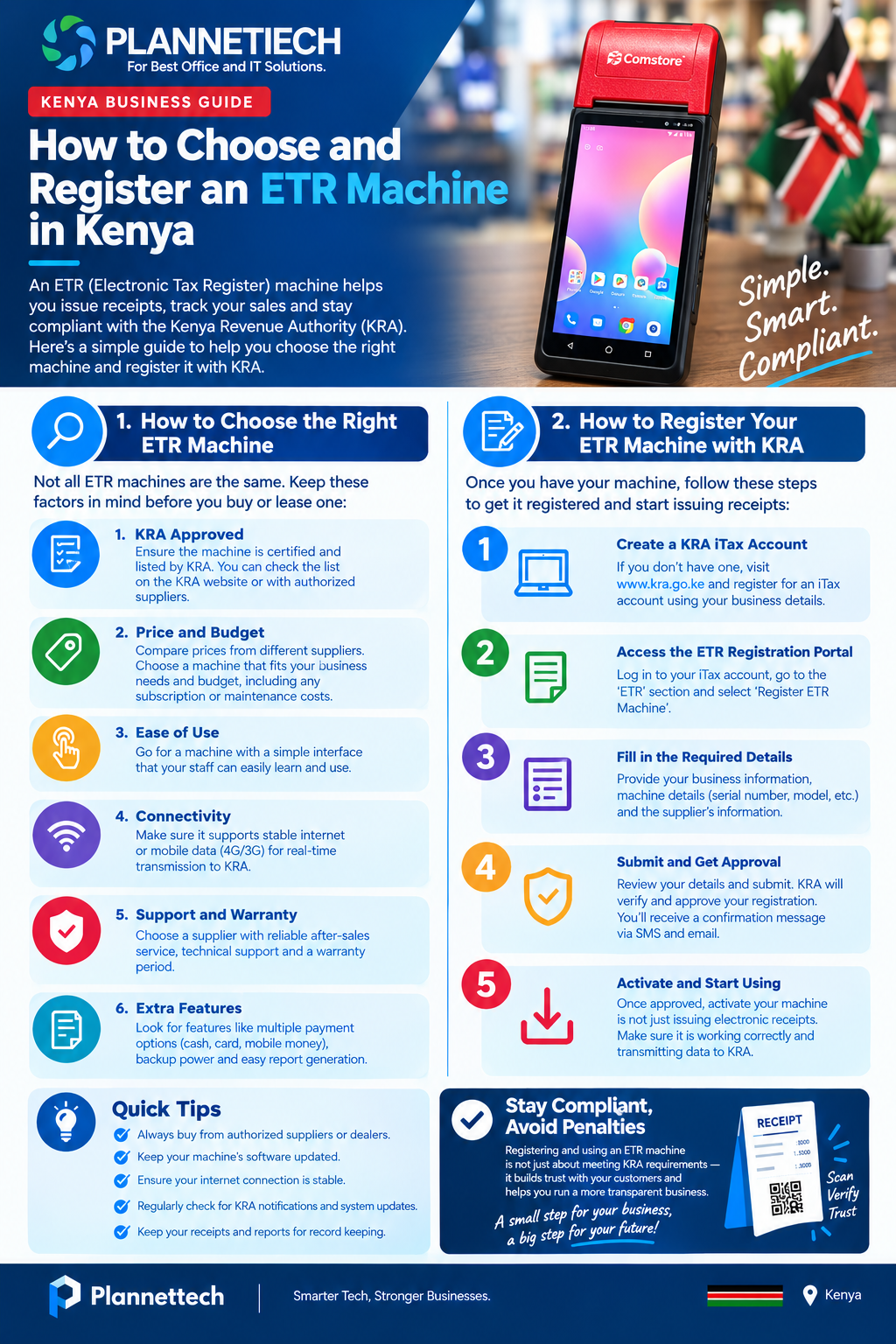
If you have decided your business needs to comply with KRA’s tax invoicing rules, the next question is rarely “should I comply” but “which device do I actually buy, and how do I get it working?” Many Kenyan business owners rush to register an ETR machine before thinking through which type of device actually fits their daily sales volume, and end up stuck with something too complicated, too limited, or too expensive for what they need. This guide walks through how to choose the right device before you register an ETR machine, what the registration process looks like in broad strokes, and the mistakes that trip up business owners at each stage.
Why Choosing Comes Before You Register an ETR Machine
It is tempting to treat this as a single step: buy a device, register it, done. In practice, the order matters. Before you register an ETR machine, you need to know whether your business needs a full standalone unit, a lightweight app-based solution, or a POS system with tax compliance built in, because each path leads to a different registration channel with KRA. A restaurant processing two hundred transactions a day and a solo hairdresser issuing five receipts a week should not register an ETR machine the same way, even though both are legally required to comply. Getting the device choice right first saves you from re-registering or migrating channels later.
What Counts as an ETR Machine Today
Before you can register an ETR machine, it helps to know what qualifies. The classic image of an ETR machine is a dedicated countertop till, but today the term covers a much wider range of tools. A standalone hardware unit, a smartphone running the eTIMS Lite app, a desktop computer running eTIMS Client software, and a full point-of-sale system with tax compliance built in can all function as your way to register an ETR machine and issue compliant receipts. What determines which one is right for you is less about the label and more about your transaction volume, your budget, and how much reporting detail you want beyond basic tax compliance.
Step One: Assess Your Business Before You Register an ETR Machine
Before comparing specific devices, take stock of a few basics about how your business actually operates. How many sales do you process on an average day, and does that number spike during specific seasons? Do you operate from a single location or multiple branches? Do you need inventory tracking alongside tax compliance, or purely a way to issue receipts? Answering these questions honestly will save you from choosing the wrong option when you register an ETR machine, since a device chosen for a slow month rarely holds up once the business grows.
Comparing the Main Device Types
Standalone ETR Hardware
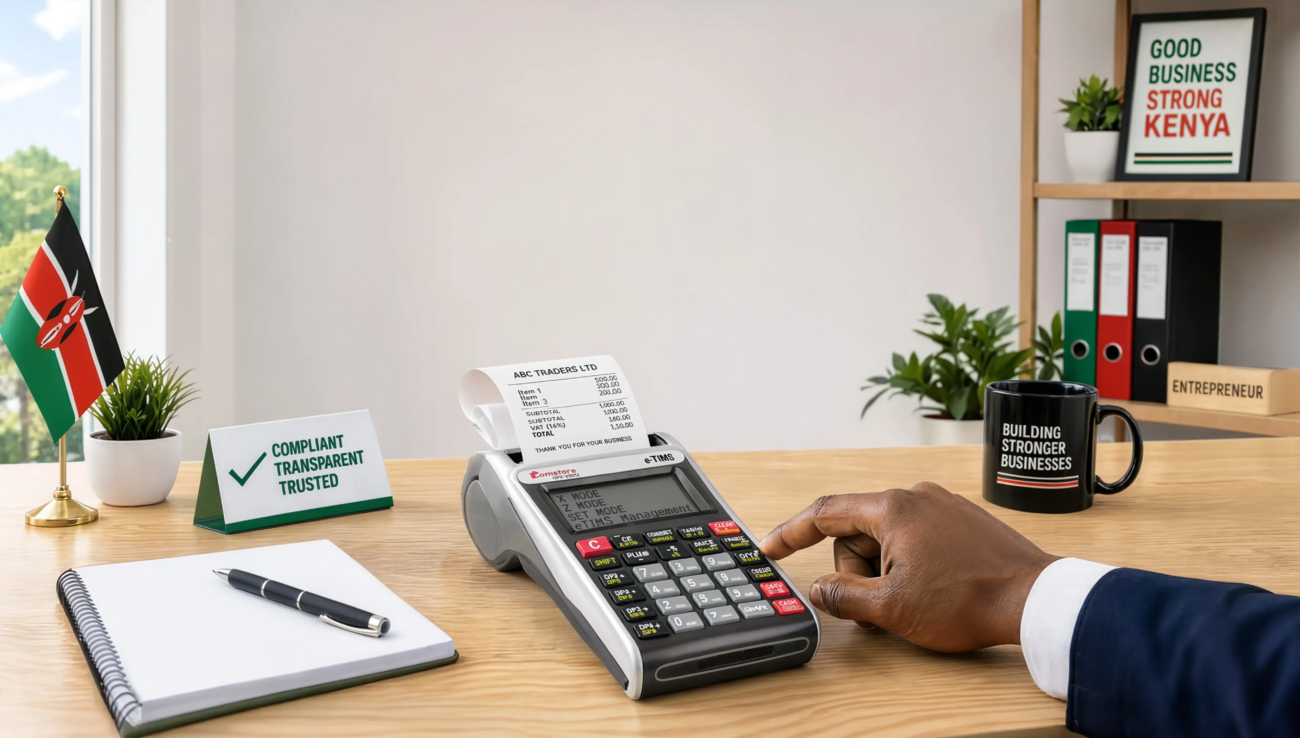
A dedicated hardware till remains a solid choice for shops that want a simple, always-on device with a built-in printer and no dependency on a smartphone or laptop battery. If you choose to register an ETR machine in this hardware form, expect an upfront purchase cost plus a small ongoing service fee, and expect the supplier to handle fiscalization as part of the sale. This option suits businesses that want a dedicated, purpose-built device at the counter and do not need advanced software features like multi-branch reporting.
eTIMS Lite for Small Traders
For a small trader, kiosk owner, or service provider issuing a modest number of receipts, the free eTIMS Lite mobile app is usually the simplest way to register an ETR machine without spending anything on hardware. It runs on an ordinary smartphone, requires no monthly subscription, and is well suited to non-VAT registered businesses. The trade-off is that invoices are entered manually one at a time, so it becomes tedious once daily transaction volume climbs into the dozens.
eTIMS Client on a Computer
A step up from the mobile app, eTIMS Client software installs on a desktop or laptop and gives a business slightly more room to manage sales than the phone-based Lite option. Businesses that already have a computer at the till but do not want to invest in a full POS system often register an ETR machine through this route as a middle-ground solution. It still involves manual entry, but the larger screen and keyboard make faster typing possible during busy periods.
Integrated POS Systems
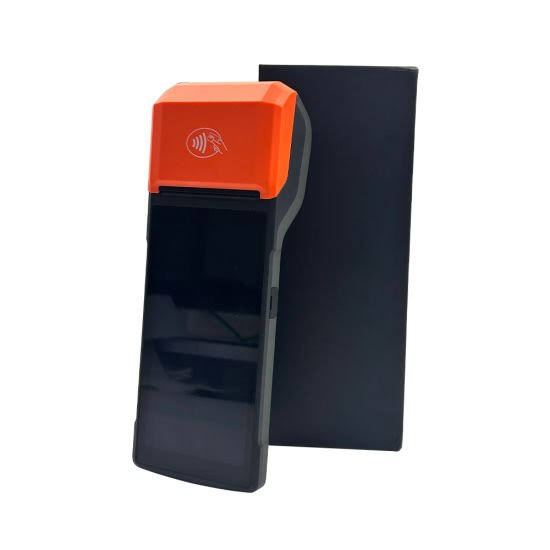
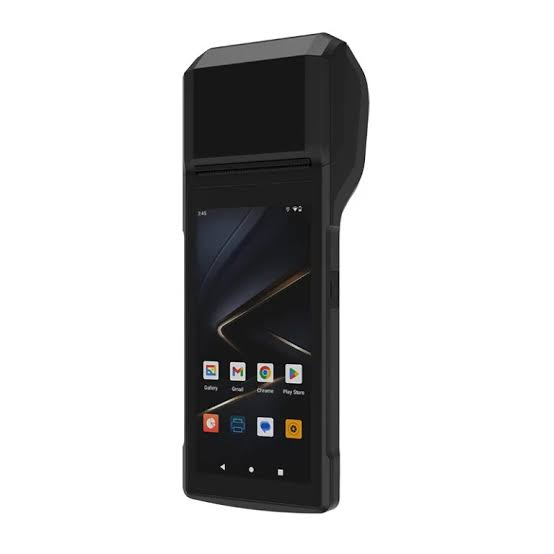
For any business processing a meaningful number of daily transactions, a point-of-sale system with tax compliance built in is usually the better long-term choice. Rather than entering each sale twice, once in the till and once in a tax app, an integrated system lets you register an ETR machine function directly inside software that also tracks stock, manages multiple cashiers, and reconciles M-Pesa payments automatically. Plannettech’s range of eTIMS-ready POS systems covers this category, from Android-based countertop units to full desktop POS setups for busier retail environments.
Matching a Device to Your Business Type
A one-person consultancy issuing a handful of invoices a month has very different needs from a busy supermarket. If you run a low-volume service business, it rarely makes sense to register an ETR machine through an expensive integrated system when the free Lite app covers your obligations just as well. If you run a retail shop, restaurant, or pharmacy with dozens of daily transactions, the manual entry required by Lite or Client quickly becomes a bottleneck, and the time saved by an integrated POS system usually justifies the extra cost within the first few months. When you register an ETR machine, matching the device to your actual daily transaction count, not your aspirational future volume, keeps costs proportional to what you need right now.
Features Worth Checking Before You Buy
Not every device marketed as compliant offers the same features, so it pays to check a few things before you register an ETR machine and commit to a purchase. Ask whether the device supports offline sales with automatic sync once connectivity returns, since KRA allows only a limited offline window before invoices risk rejection. Check whether M-Pesa reconciliation is built in, since manually matching mobile money payments to receipts is one of the most time-consuming parts of running a Kenyan retail business. Confirm the printer speed and paper type if you expect a busy counter, and ask whether the supplier includes staff training as part of helping you register an ETR machine, since a device that arrives without proper onboarding often gets misused in the first few weeks.
What an ETR Machine Costs in Kenya
Pricing varies significantly depending on which path you take to register an ETR machine. A standalone hardware unit typically costs several thousand shillings upfront, plus a modest monthly service fee, while the eTIMS Lite app is free to use since it runs directly on KRA’s own platform. A full POS system that lets you register an ETR machine function alongside inventory and reporting tools generally costs more upfront but often works out cheaper over a year than paying separately for a hardware till and a spreadsheet-based stock system. Before committing, it is worth asking your supplier for the full first-year cost, including any service fees, rather than comparing sticker prices alone.
Vetting a Supplier Before You Register an ETR Machine
Because the device must be properly fiscalized with KRA before it can legally issue receipts, the supplier you choose matters as much as the device itself. A reliable supplier will register an ETR machine on your behalf as part of the sale, walk you through KRA’s requirements, and remain available if the device throws an error weeks or months down the line. Plannettech supplies KRA-accredited fiscal devices and eTIMS-ready POS hardware across Nairobi and beyond, and handles the fiscalization step for buyers rather than leaving them to navigate it alone. Before you register an ETR machine through any supplier, ask directly whether they handle KRA fiscalization as part of the purchase or whether that step is left to you.
A Condensed Look at the Registration Process
Once you have chosen the right device, the actual process to register an ETR machine runs through KRA’s eTIMS platform rather than a separate paper application. In broad terms, you log into iTax with an active KRA PIN, select the eTIMS registration option, choose the solution that matches your device (Lite, Client, or POS integration), and submit your business details for verification. If your PIN or contact details are out of date on iTax, expect delays, since mismatched information is the most common reason applications stall. For the full step-by-step walkthrough, including exactly what to enter at each screen and how to fix common errors, see our detailed guide on how to register for eTIMS Kenya, which covers the iTax process in depth.
Testing Your Setup Before You Rely on It
Choosing the right device and completing the paperwork to register an ETR machine is not the finish line. Before relying on any device for daily sales, run a small test transaction and confirm it returns a valid control number and QR code from KRA. This single check catches a surprising number of setup errors, from incorrect tax categories to a Tax Identification Number typed incorrectly during onboarding. Businesses that skip this step and assume a completed application means they are fully compliant often discover the gap only during a KRA review, by which point weeks of receipts may have gone unrecorded.
Common Mistakes When Choosing and Registering
A few recurring mistakes show up again and again among Kenyan business owners working through this process. Some choose a device based on price alone and register an ETR machine that cannot keep up once sales volume grows, forcing an expensive early upgrade. Others select an integrated POS option without checking that their chosen supplier actually handles the KRA fiscalization step, leaving them with hardware that is not yet legally active. A third common mistake is registering the device under outdated business details on iTax, which causes the application to stall regardless of how well the device itself was chosen. Taking the time to align your device choice with your actual sales volume, and confirming your iTax details are current, avoids the bulk of these issues before you register an ETR machine at all.
What Happens After You Register an ETR Machine
Registration is the beginning of an ongoing responsibility, not a one-time task. Once you register an ETR machine, you need to issue every sale through it consistently, keep software updated if you chose a digital solution, and retain digital transaction records for the period KRA requires. It is also worth requesting compliant invoices from your own suppliers, since your ability to claim input VAT depends on receiving valid documentation from the businesses you buy from, not just from correctly running your own device. Treating the moment you register an ETR machine as the start of a routine, rather than a box ticked once, is what keeps a business compliant month after month rather than scrambling before an audit.
Multi-Branch Businesses: A Special Case
If you operate more than one location, the calculation around which device to use changes considerably. A business with two or three branches that tries to register an ETR machine separately at each location, using disconnected standalone units, often ends up with fragmented sales data that is difficult to consolidate at month-end. In this situation, an integrated POS system that lets you register an ETR machine centrally, with each branch reporting into one dashboard, saves significant administrative time. Owners managing multiple branches should specifically ask suppliers whether their chosen system supports centralized reporting before buying, since not every device marketed for small businesses scales cleanly across locations.
Budgeting for the First Year, Not Just the Purchase Price
Many business owners focus only on the upfront cost when they decide how to register an ETR machine, then get caught out by ongoing fees they did not anticipate. Beyond the initial device cost, factor in monthly service or subscription fees, the cost of thermal paper rolls if you choose hardware with a built-in printer, and any charges for adding extra users or branches later. When you register an ETR machine through a subscription-based POS system, ask upfront whether the quoted price includes eTIMS compliance or whether that is billed as an add-on, since some providers separate the two. A clear first-year budget, not just a purchase price, is what actually tells you whether a device is affordable for your business.
Training Staff to Use the Device Correctly
A device chosen carefully can still cause compliance problems if the person operating it daily was never properly trained. Once you register an ETR machine, walk your cashiers through the basics: how to key in a sale correctly, how to process a return without breaking the tax trail, and what to do if the device shows an error mid-transaction. Businesses that treat training as a one-time event during setup often see the same avoidable mistakes resurface when new staff join months later. A short written checklist covering daily opening and closing procedures on the device, plus who to call if it stops transmitting, turns a potential compliance gap into a routine part of daily operations.
Upgrading From an Older ETR Machine
If your business already has an older standalone ETR machine bought years ago, you may be wondering whether you need to start over. In many cases, businesses that previously registered an older-style device now need to migrate to an eTIMS-compliant option, since KRA has phased out new registrations for the old hardware-only model. If you are in this position, the safest approach is to treat it as a fresh decision: reassess your current sales volume and features needed, then register an ETR machine again through whichever eTIMS channel now fits your business, rather than assuming your old setup will continue working indefinitely.
Frequently Asked Questions
Do I need to buy hardware to register an ETR machine? No. Small and non-VAT businesses can register an ETR machine through the free eTIMS Lite app on a smartphone, with no hardware purchase required.
How do I know which type of device to choose? Base the decision on your daily transaction volume. Low-volume businesses are usually well served by eTIMS Lite, while busier shops and restaurants benefit more from an integrated POS system when they register an ETR machine.
Can my supplier handle the KRA registration for me? A good supplier will register an ETR machine on your behalf as part of the purchase, including fiscalization. Always confirm this before buying rather than assuming it is included.
What if I already own an older ETR machine? Older hardware-only devices are being phased out for new registrations. It is usually worth reassessing your needs and choosing to register an ETR machine through a current eTIMS channel instead of relying on legacy hardware indefinitely.
How long does the registration itself take? Once you have chosen your device, the time to register an ETR machine through KRA’s portal can be as short as thirty minutes for straightforward Lite or Client setups, though integrated POS options may take slightly longer to verify.
Can I change my mind after I register an ETR machine on one channel? Yes. If you initially register an ETR machine through a channel that turns out to be a poor fit, such as choosing manual entry when your sales volume clearly needs an integrated system, you can switch channels through KRA’s portal rather than starting your tax history over from scratch.
Is it worth paying more for a POS-integrated device instead of eTIMS Lite? It depends on volume. A business issuing fewer than a handful of receipts a day rarely recovers the extra cost, but once you are entering more than twenty or thirty transactions daily, the time saved by not double-entering sales usually justifies the higher price of a system that lets you register an ETR machine alongside stock and staff management.
Final Thoughts

Getting compliant is not just about ticking a legal box; it is about choosing a device that fits how your business actually runs day to day. Take the time to assess your transaction volume, compare the standalone, Lite, Client, and POS-integrated options honestly, and vet your supplier before you register an ETR machine through any of them. Once the device is chosen and fiscalized correctly, the registration itself is a short, well-documented process, and our step-by-step eTIMS registration guide walks through exactly what to enter at each stage. Choose deliberately now, and you avoid the far more expensive mistake of switching devices or re-registering a few months down the line.
For official KRA guidance, see the eTIMS information page and the eTIMS Taxpayer Portal.