



How to Register for eTIMS Kenya: A Complete Step-by-Step Guide (2026)

If you run a business in Kenya, you have probably heard the acronym everywhere over the last year from your accountant, your bank, your suppliers, and even your local Huduma Centre. Knowing how to register for eTIMS Kenya is no longer optional for most taxpayers; it is now a core part of running a compliant business in this country. Whether you own a retail shop in Nairobi, run a consultancy, or manage a small kiosk, the Kenya Revenue Authority (KRA) expects you to issue electronic tax invoices through this system. This guide walks you through exactly how to register for eTIMS Kenya, what documents you need, which channel suits your business, and how to avoid the mistakes that cause most registrations to stall.
What Is eTIMS and Why Registration Matters
eTIMS stands for the Electronic Tax Invoice Management System, a KRA platform designed to capture sales data in real time and reduce tax evasion. Before you can understand how to register for eTIMS Kenya, it helps to understand what the system actually does. Every time a registered business issues an invoice, that invoice is transmitted to KRA electronically, complete with a control number and a QR code that customers and auditors can verify. This replaced the older Electronic Tax Register (ETR) machines that many older businesses were used to, and it closes gaps that made it easy for sales to go unreported.
The urgency behind learning how to register for eTIMS Kenya properly comes down to enforcement. Under the Tax Procedures (Electronic Tax Invoice) Regulations, businesses that fail to issue compliant invoices can face penalties of up to KES 1 million or 10% of the tax involved, whichever is higher. From 2026, KRA has also begun cross-checking declared income and expenses against eTIMS data, which means invoices issued outside the system are far more likely to trigger a query. This makes the process of how to register for eTIMS Kenya something every business owner should treat as urgent, not optional.
Who Needs to Register for eTIMS in Kenya?
One of the most common misconceptions is that only large, VAT-registered companies need to worry about how to register for eTIMS Kenya. That is not accurate. KRA has made eTIMS mandatory for virtually all businesses generating income, including sole proprietors, freelancers, and small traders who are not VAT registered. If you sell goods or services and issue any kind of receipt or invoice, you almost certainly need to go through the process of how to register for eTIMS Kenya before you can legally continue trading.
There are limited exemptions, mainly for specific categories such as certain small-scale farmers and a handful of statutory bodies, but these are the exception rather than the rule. If you are unsure whether your business qualifies for an exemption, it is worth confirming directly with KRA rather than assuming, because the penalties for skipping the process of how to register for eTIMS Kenya apply regardless of business size.
What You Need Before You Register for eTIMS Kenya
Before you start the actual registration, gather a few essentials. Knowing how to register for eTIMS Kenya smoothly is mostly about preparation. Most rejected applications fail not because the process is hard, but because the applicant’s details do not match what KRA already has on file.
Here is what you need ready:
- An active KRA PIN. Long-dormant PINs sometimes need reactivation on iTax before eTIMS will recognise them, so confirm your PIN status first.
- A working phone number and email address linked to your KRA profile. KRA sends a one-time verification code to whichever contact details are on file, so if that number is no longer active, update it on iTax before you attempt to register for eTIMS Kenya.
- Your correct trading name and branch details, matching exactly what appears on iTax. Mismatches here are one of the most common causes of rejected applications.
- VAT status information. Whether you are VAT registered or not affects which fields and invoice options apply to you during registration.
- A device to receive your invoices on — this could be a smartphone for eTIMS Lite, a computer for eTIMS Client, or an integrated POS system for higher-volume businesses.
Having these ready before you begin makes the actual process of how to register for eTIMS Kenya far faster, often taking less than 30 minutes from start to finish.
Step-by-Step: How to Register for eTIMS Kenya
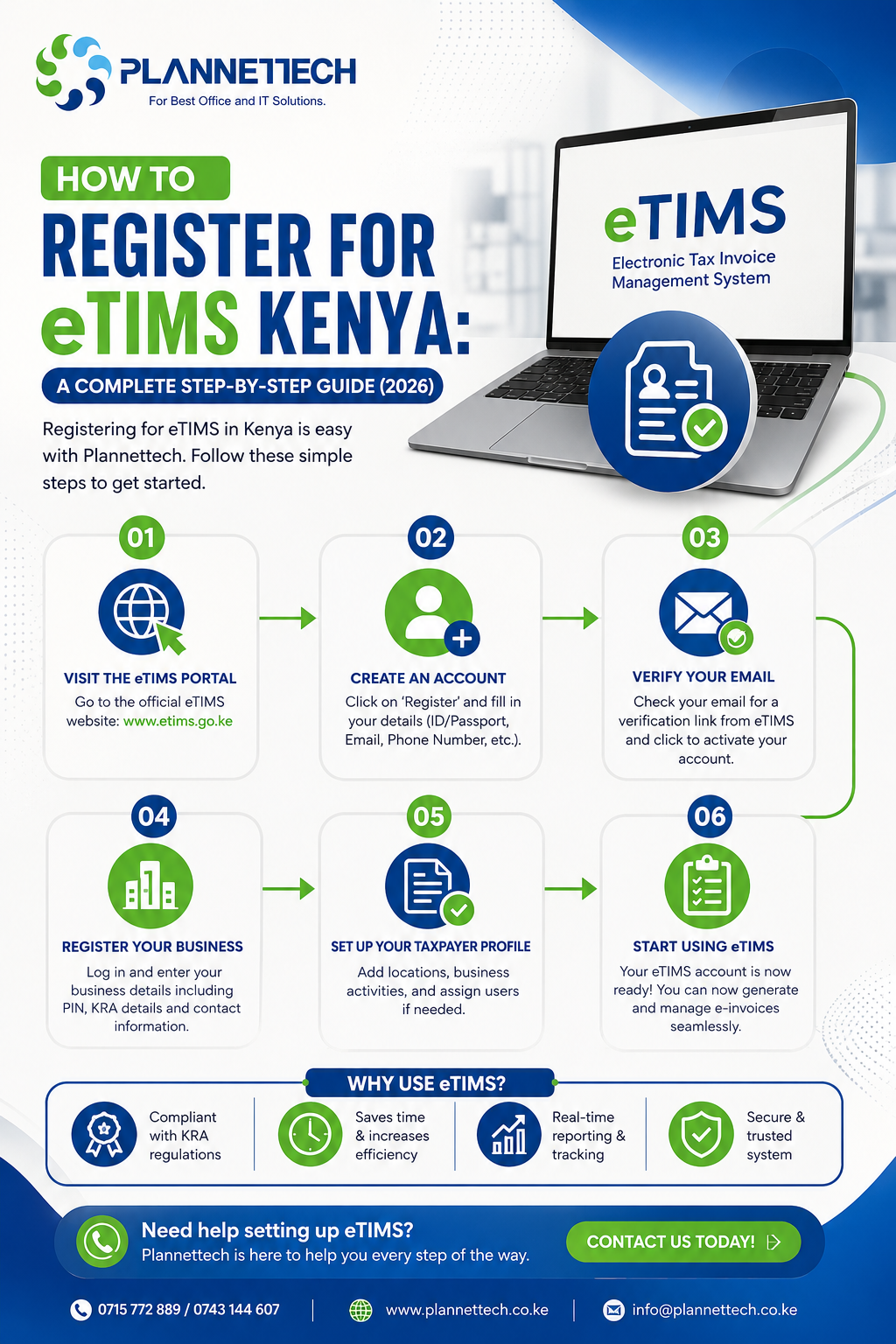
Now to the part you came here for: the actual steps. This is the core of how to register for eTIMS Kenya, and each step matters because a mistake early on tends to cause delays later.
Step 1: Access the eTIMS Portal
Go to the official KRA eTIMS portal and choose the sign-up option. This is the starting point for how to register for eTIMS Kenya no matter which channel you eventually choose, since the initial identification step is the same for everyone.
Step 2: Identify Yourself With Your KRA PIN
Enter your KRA PIN exactly as it appears on iTax. The system pulls some information through automatically, but any mismatch between what you type and what KRA has on record is the single most common reason the how to register for eTIMS Kenya process stalls at this stage.
Step 3: Verify Your Identity With the One-Time Code
KRA sends a verification code to the phone number or email registered on your taxpayer profile. Enter it promptly to confirm you are the account holder. This step in how to register for eTIMS Kenya fails most often when the contact details on iTax are outdated, so double-check this beforehand.
Step 4: Declare Your VAT Status and Business Nature
Indicate whether you are VAT registered and describe the nature of your business. This determines which invoicing options are shown to you next, and it is a step in how to register for eTIMS Kenya that people often rush through, leading to the wrong channel being selected later.
Step 5: Choose Your eTIMS Channel
This is arguably the most important decision in how to register for eTIMS Kenya, because picking the wrong channel means your registration gets approved but invoices never actually flow correctly. KRA offers several channels:
- eTIMS Lite Kenya — a free mobile app (Android and iOS) where you log in with your PIN and create invoices manually. This is the right fit for service businesses and small traders issuing a handful of invoices a month.
- eTIMS Client — a Windows desktop application installed on a single computer, ideal for a counter-based business entering sales manually but with slightly more capacity than Lite.
- OSCU (Online Sales Control Unit) — for businesses with a certified system integrator that can connect their existing software directly to KRA.
- VSCU (Virtual Sales Control Unit) — for higher-volume businesses that need a virtual device integrated into their point-of-sale or accounting software.
If you are a small business, eTIMS Lite Kenya is usually the fastest and simplest way to satisfy how to register for eTIMS Kenya registration requirements without needing any technical integration. Larger retailers processing dozens of sales a day are usually better served by an integrated POS solution connected through OSCU or VSCU.
Step 6: Enter Your Business Details
Fill in your trading name, branch information, and contact details exactly as they appear on iTax. This is another point in how to register for eTIMS Kenya where accuracy matters more than speed; small discrepancies here are a leading cause of rejected applications.
Step 7: Submit the Application
Complete and submit the form. Low-volume registrations and eTIMS Lite Kenya applications are usually processed quickly, sometimes instantly, while integrated options involving OSCU or VSCU may require a short verification period for your chosen software or hardware.
Step 8: Confirm With a Test Invoice
Once your account is active, generate a small test invoice and confirm that it returns a valid control number and QR code. This final step in how to register for eTIMS Kenya is easy to skip, but it is what actually proves you are compliant — simply having an approved account is not the same as issuing valid invoices.
Common Mistakes That Delay eTIMS Registration
Even when people understand the theory of how to register for eTIMS Kenya, a few recurring mistakes trip up applicants:
- Outdated taxpayer details. If your name, phone number, or business address on iTax does not match what you enter during registration, the system will reject the application. Update iTax first, then retry.
- Choosing the wrong channel. A small services business that registers on OSCU without a certified integrator will find its account approved but no invoices actually transmitting. Switching to eTIMS Lite Kenya usually solves this immediately.
- Inactive KRA PIN. Dormant PINs sometimes need reactivation on iTax before eTIMS will recognise them at all. The portal often returns a vague error here, so if you get stuck, check your PIN status directly on iTax.
- Skipping the test invoice. Some businesses assume that a successful sign-up means they are compliant, but the real test of how to register for eTIMS Kenya successfully is whether invoices actually transmit and return valid control numbers.
Why Bother Registering? The Real Benefits of eTIMS
It is easy to think about how to register for eTIMS Kenya purely as a compliance chore, but there are practical upsides once you are set up. First, eTIMS invoices are automatically verifiable; customers and auditors can scan the QR code on any invoice and confirm it is genuine, which builds trust with corporate clients who require proper documentation for their own tax filings. Second, businesses that complete how to register for eTIMS Kenya and use the system consistently tend to have cleaner books, since every sale is timestamped and logged the moment it happens, reducing the year-end scramble to reconstruct records.
Third, and often overlooked, is that eTIMS invoices are what allow you to claim input VAT on your purchases. If your suppliers are not issuing eTIMS-compliant invoices, you cannot claim that VAT back, so understanding how to register for eTIMS Kenya properly also means understanding your obligation to demand compliant invoices from the people you buy from. Finally, KRA has signalled that eTIMS data will increasingly feed into risk-based audit selection, meaning businesses with a consistent, clean eTIMS trail are less likely to be flagged for a full audit than those with patchy or missing records. Taken together, these benefits mean that how to register for eTIMS Kenya is not just about avoiding penalties; it is about building a business that looks credible to banks, investors, and larger corporate customers who increasingly ask for eTIMS-compliant invoices before they will do business with a supplier.
What Happens After You Register for eTIMS Kenya
Once you have completed how to register for eTIMS Kenya, registration is really only half the job. You now need to consistently issue compliant invoices for every sale, and you should also start requesting eTIMS-compliant invoices from your own suppliers, since your input VAT claims depend on receiving valid documentation too. Businesses that treat eTIMS purely as a sign-up exercise, without changing their day-to-day invoicing habits, often find themselves out of compliance within weeks.
If you are running a busy shop or restaurant, manually entering every sale into eTIMS Lite Kenya or eTIMS Client can quickly become a bottleneck, forcing staff to ring up each sale twice — once in the till and once in the KRA app. This is where an integrated, eTIMS-compliant POS system becomes worth considering, since it automates invoice generation the moment a sale is completed and syncs directly with KRA, removing the double-entry problem entirely.
Choosing the Right Hardware After You Register for eTIMS Kenya
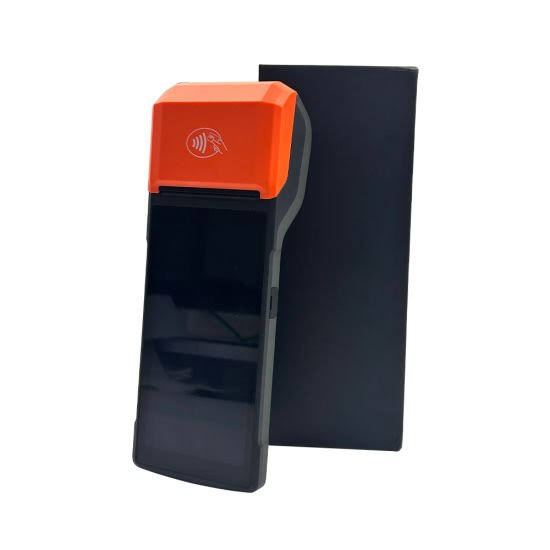
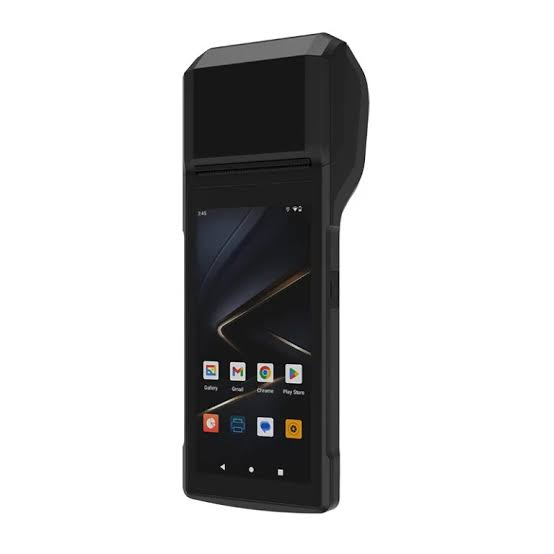
Completing how to register for eTIMS Kenya is the compliance milestone, but choosing the right equipment is what determines whether that compliance is easy or a daily headache. For businesses processing a high volume of transactions, an eTIMS-compliant POS system removes the need for manual invoice entry altogether, automatically generating and transmitting tax invoices as sales happen. Plannettech Investors Limited supplies eTIMS devices and point-of-sale systems suited to Kenyan retailers, restaurants, and service businesses that have already completed registration and now need reliable hardware to match. If you have just finished the process of how to register for eTIMS Kenya and are weighing whether Lite is enough for your sales volume, it is worth comparing a few POS system options before committing to manual entry long-term.
Frequently Asked Questions About Registering for eTIMS Kenya
Is eTIMS Lite Kenya really free? Yes. eTIMS Lite Kenya is a free KRA mobile application available on Android and iOS, and it remains the simplest answer to how to register for eTIMS Kenya for small traders and service providers with low invoice volumes.
How long does it take to register for eTIMS Kenya? For most Lite and low-volume registrations, the process of how to register for eTIMS Kenya can be completed in under half an hour, provided your KRA PIN and contact details are already active and correct. Integrated OSCU or VSCU setups can take longer due to software verification.
Can I switch channels after registering? Yes. If you initially choose the wrong option while working through how to register for eTIMS Kenya, you can switch channels through the portal, for example, moving from OSCU to eTIMS Lite Kenya if you do not have a certified integrator.
Do non-VAT registered businesses need to register for eTIMS? Yes. Even if your business is not VAT registered, you are still legally required to complete how to register for eTIMS Kenya and issue electronic invoices for your sales.
What if my registration keeps failing? Most failures during how to register for eTIMS Kenya trace back to outdated details on iTax: an inactive PIN, an old phone number, or a mismatched business name. Fix these on iTax first, then retry the eTIMS registration.
Final Thoughts
Learning how to register for eTIMS Kenya is now a basic requirement of doing business here, not a bureaucratic extra. The process itself is straightforward once your KRA PIN and contact details are in order, and choosing the right channel, whether that is eTIMS Lite Kenya for a small operation or an integrated POS system for a busier one, makes the difference between smooth compliance and constant friction. Take the time to prepare your documents, follow the steps above carefully, and finish with a test invoice to confirm everything is working. Once you have completed how to register for eTIMS Kenya, the real work is consistency: issuing every invoice through the system and matching hardware to your sales volume so compliance becomes routine rather than a chore.
For official guidance and to begin your application, visit the KRA eTIMS portal directly, and reach out to Plannettech if you need eTIMS-compliant devices or POS systems to support your business once registration is complete.