



ETR Machine Types, Integration, and Troubleshooting: An Advanced Guide

Most guides to KRA compliance stop at “buy a device and register it.” This one starts where those leave off. If you are an IT lead, a systems integrator, or a business owner whose developer is trying to connect an existing point-of-sale or ERP system to KRA directly, the practical questions are different: how does ETR machine integration actually work under the hood, what is the real difference between the two integration models KRA offers, and what do you do when invoices start failing at 2 pm on a Friday? This guide covers the technical architecture behind ETR machine integration, walks through both integration paths in detail, and works through the troubleshooting steps that resolve the errors integrators run into most often.
Who This Guide Is For
Before going further, it is worth being explicit about audience, since ETR machine integration means different things to different readers. If you are choosing your first compliance device, our guide to choosing and registering an ETR machine or our eTIMS registration walkthrough will serve you better than this one. This guide assumes you already understand the basic compliance requirement and are now dealing with the technical side of ETR machine integration: connecting a custom or third-party system directly to KRA’s infrastructure, rather than using an off-the-shelf app.
ETR Machine Types, Revisited at the Architecture Level
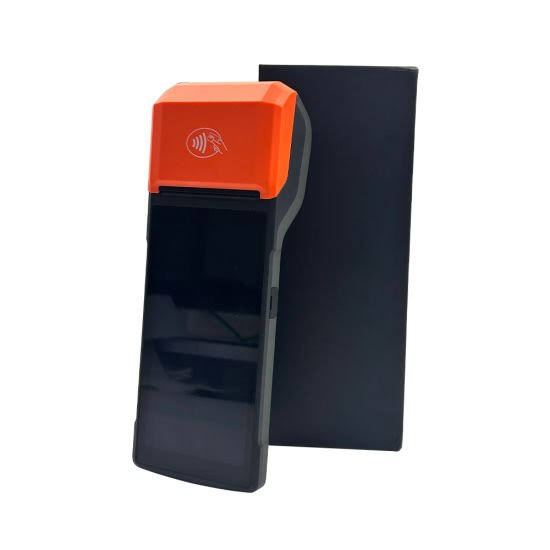
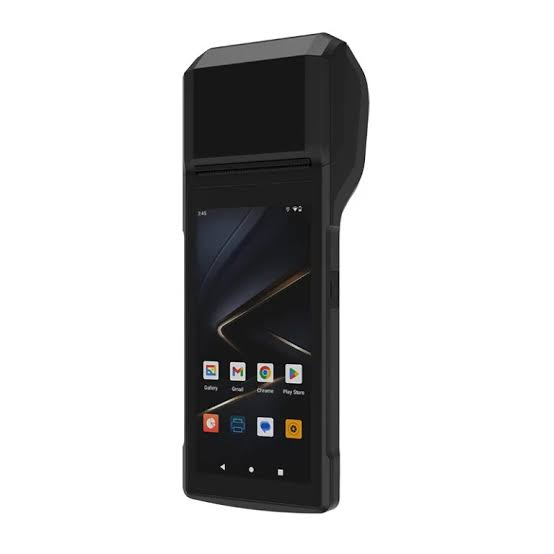
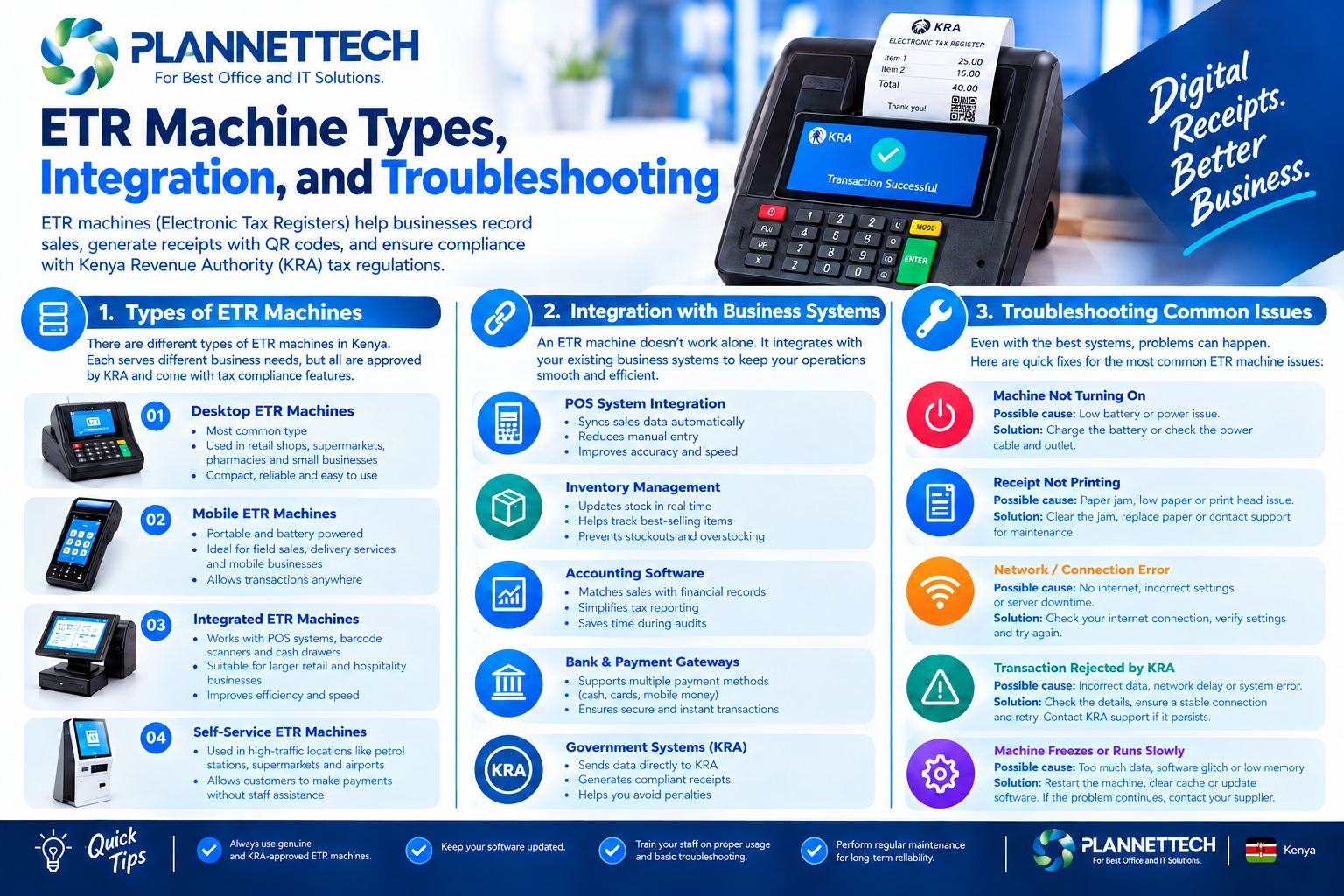
Earlier guides describe ETR machine types in terms of what a shop owner buys: a standalone till, a phone app, or a POS system. At the architecture level, KRA’s own documentation frames ETR machine integration around a different set of categories, and understanding them is essential before you build anything. Every compliant setup includes a Trader Invoicing System, the software or hardware where sales actually happen, paired with a Sales Control Unit, the component responsible for signing invoices and communicating with KRA. The type of Sales Control Unit you choose is what determines the shape of your ETR machine integration going forward.
The Three Sales Control Unit Categories
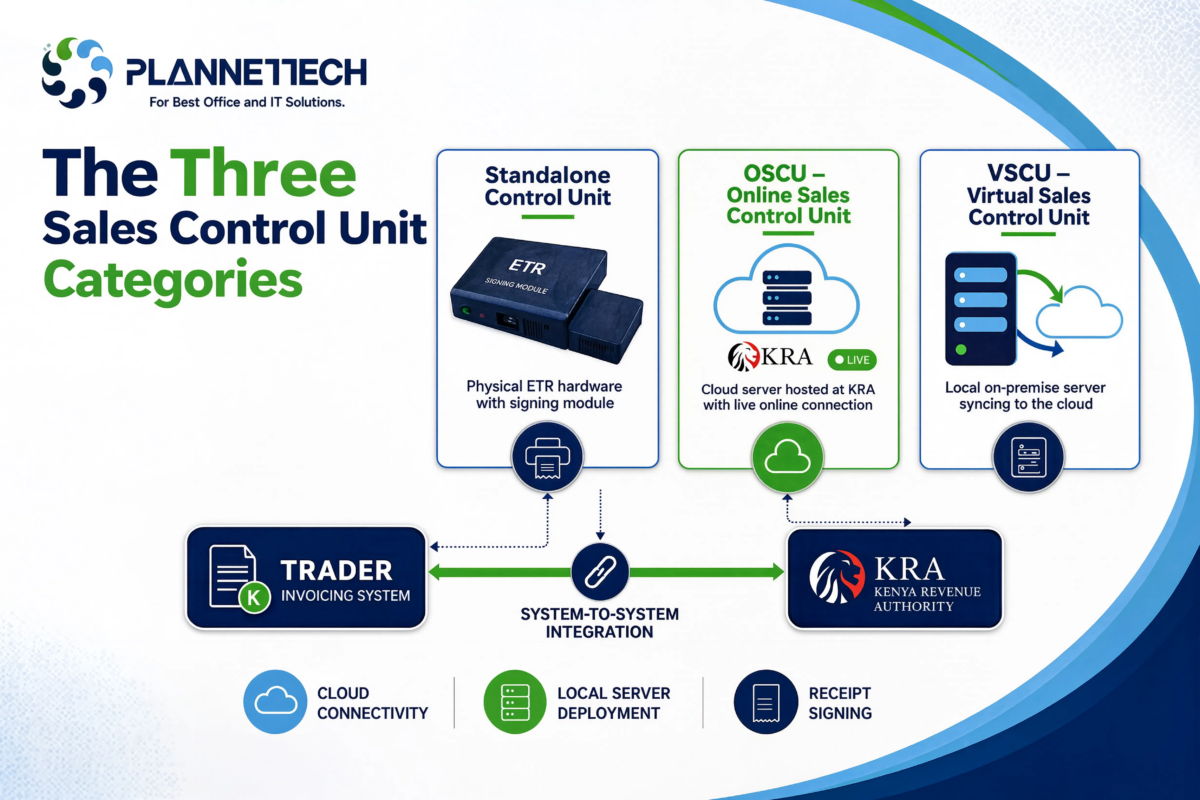
A standalone hardware Control Unit is the closest thing to the classic ETR machine: a physical device with its own signing module, typically used by smaller businesses that are not building custom software. For anyone doing genuine ETR machine integration work, though, the two categories that matter are the Online Sales Control Unit and the Virtual Sales Control Unit, both of which are designed for system-to-system integration between a business’s own Trader Invoicing System and KRA. An Online Sales Control Unit, or OSCU, is hosted at KRA and is built for businesses whose invoicing system is reliably online. A Virtual Sales Control Unit, or VSCU, is hosted on the client side and is designed for taxpayers issuing high volumes of invoices that are not always online. Choosing between them is the first real decision in any ETR machine integration project.
OSCU-Based ETR Machine Integration
Under an OSCU-based ETR machine integration, your Trader Invoicing System sends each transaction to KRA’s servers, where it is signed and validated before a receipt is returned. Because the signing logic lives at KRA rather than on your own infrastructure, this model is lighter to build and maintain, but it also means your invoicing system depends on a live connection to KRA at the moment of every sale. This makes OSCU-based ETR machine integration a strong fit for a single retail location with dependable internet, but a weaker fit for a business processing invoices in bulk batches or operating in areas where connectivity is inconsistent.
VSCU-Based ETR Machine Integration
A VSCU-based ETR machine integration moves the signing component onto the client’s own infrastructure, allowing invoices to be generated and signed locally even when the connection to KRA briefly drops, then transmitted once connectivity returns. This is the model KRA recommends for businesses generating invoices in bulk or operating multiple branches, since it decouples the moment of sale from the moment of transmission. The trade-off is that a VSCU-based ETR machine integration is more involved to set up correctly, since your development team is responsible for maintaining the local signing component rather than relying entirely on KRA’s hosted infrastructure.
Choosing Between OSCU and VSCU for Your Project
Deciding which model to use for your ETR machine integration comes down to two questions: how reliable is your internet connection at the point of sale, and how many invoices do you need to issue in a short period. A boutique or single-location service business with stable fibre or a good LTE connection is usually well served by an OSCU-based approach, since the simpler architecture is easier to build and support. A supermarket, wholesaler, or multi-branch retailer issuing large volumes of invoices, particularly in areas where power or connectivity is less predictable, will generally get more reliable results from a VSCU-based ETR machine integration, since local signing keeps the till operational through short outages.
Self-Integration vs Working With a Certified Integrator
KRA allows two paths into ETR machine integration: a business with in-house development capacity can pursue self-integration directly against the OSCU or VSCU specification, or a business can engage a KRA-verified third-party integrator to handle the technical work. Self-integration gives you full control and no ongoing integrator fees, but requires a developer familiar with the specification, the sandbox testing process, and KRA’s certification requirements. Working with a certified integrator shifts that technical burden elsewhere, which is often the more practical route for businesses whose core competency is retail or services rather than software development, but it does mean vetting the integrator’s track record before committing to an ETR machine integration built on their platform.
Integrating With an Existing POS or ERP System
Many businesses approaching ETR machine integration already run a POS system, an accounting package, or a custom-built ERP, and the real question is how to connect that existing system to KRA rather than replacing it outright. In practice, this usually means either extending your current software with a module that talks to the OSCU or VSCU API directly, or sitting a small integration layer between your existing system and KRA that translates your internal sales records into the format the specification expects. Several open-source SDKs now exist to speed up this kind of ETR machine integration work in common languages, though any SDK still needs to be tested carefully against the current specification version before going live, since KRA periodically updates the technical requirements.
Multi-Branch ETR Machine Integration Architecture
Businesses with several branches face a specific design decision: whether each branch should integrate independently or whether sales data should be centralized and transmitted from a single point. A fully centralized ETR machine integration, where branch sales flow into one system before being sent to KRA, gives head office a single source of truth and simplifies reconciliation, but it introduces a dependency on the link between branches and head office. A distributed setup, where each branch runs its own signing component and transmits independently, is more resilient to a single branch losing connectivity, but it requires more careful monitoring to catch a silent failure at one location. There is no universally correct answer here; the right shape of ETR machine integration depends on how much your branches already rely on centralized systems for other operations.
Sandbox Testing Before You Go Live
No ETR machine integration should go into production without first being tested thoroughly in KRA’s sandbox environment. The sandbox mirrors the production API closely enough to catch most configuration and payload errors before they affect real invoices, and KRA’s certification process for OSCU and VSCU integrations generally requires demonstrating a working sandbox integration before approval. Skipping or rushing this stage is one of the most common reasons a technically sound ETR machine integration still fails once it reaches production, because small differences between sandbox and live credentials or endpoints are easy to overlook under time pressure.
Common Integration Errors and How to Read Them
Once an ETR machine integration is live, most problems fall into a handful of recurring categories, and recognizing the pattern quickly saves hours of guesswork. Authentication failures are usually caused by an expired or incorrectly refreshed access token, since KRA’s API requires tokens to be renewed on a schedule rather than issued once and reused indefinitely. Invalid branch code or item code errors typically mean your local system’s reference data has drifted out of sync with what was registered during the service request stage of your ETR machine integration. Duplicate invoice number errors point to a sequencing bug in your Trader Invoicing System rather than a KRA-side problem, and are usually resolved by auditing how invoice numbers are generated and incremented internally.
Troubleshooting Rejected Invoices Step by Step
When invoices start failing after a previously stable ETR machine integration, work through the causes in order of likelihood rather than guessing randomly. First, check whether the access token is current and being refreshed correctly, since token expiry is the single most common cause of a sudden wave of failures. Second, confirm that no recent change to your product catalog introduced an item without a valid tax classification, since an unmapped tax code will cause every invoice containing that item to fail. Third, check your system clock and timestamp formatting, since a drifted server clock can cause otherwise valid requests to be rejected. Fourth, review whether KRA has published a specification update, since periodic changes to field requirements are a recurring cause of ETR machine integration breakage that was previously working correctly.
Troubleshooting Offline and Sync Issues
For a VSCU-based ETR machine integration in particular, offline handling deserves its own attention, since the entire point of choosing VSCU is resilience during connectivity gaps. Confirm that your local signing component is correctly queueing invoices during an outage rather than silently dropping them, and that the sync process retries with appropriate backoff once connectivity returns rather than attempting to flood KRA’s API all at once. A common and avoidable mistake in ETR machine integration is allowing the offline queue to grow unmonitored, so that a business only discovers a connectivity problem days later when a large batch of backlogged invoices arrives at once. Building a simple alert for queue length, rather than relying on staff to notice a problem visually, closes this gap.
Security Considerations in ETR Machine Integration
Because a Sales Control Unit is responsible for signing invoices, protecting the credentials and keys involved is a genuine security requirement, not a formality. Any ETR machine integration should store API credentials and signing keys using the same discipline applied to other sensitive secrets, never hard-coded in application source or committed to a public repository. Access to the production environment should be limited to the people who genuinely need it, and credential rotation should be planned for rather than treated as an emergency response after a suspected leak. Given that a compromised integration could be used to generate fraudulent tax invoices, this is one area of ETR machine integration where cutting corners carries real regulatory as well as security risk.
Monitoring and Reliability Once You Are Live
A production ETR machine integration benefits from the same monitoring discipline as any other business-critical system. Track the success and failure rate of invoice submissions over time, and treat a sudden spike in failures as an incident rather than something to investigate at the end of the week. For a VSCU-based ETR machine integration, monitor the offline queue depth specifically, since a growing queue is often the earliest visible sign of a deeper connectivity or configuration problem. Businesses running multiple branches should also monitor per-branch success rates separately, since a problem isolated to one location can otherwise get lost in an aggregate view.
When to Escalate to a Certified Integrator
Even a technically capable in-house team sometimes hits a wall with ETR machine integration that is best resolved by a KRA-verified integrator, particularly around certification requirements that change between specification versions. If your integration is failing certification repeatedly despite matching the published specification, if you are unsure whether a VSCU or OSCU approach fits your specific transaction pattern, or if your team lacks the bandwidth to maintain an integration long-term, bringing in a certified integrator is often faster and cheaper than continuing to debug in isolation. This is not an admission of failure; ETR machine integration touches tax law, cryptographic signing, and API versioning simultaneously, and few small business teams have deep expertise in all three.
Versioning and Keeping Up With Specification Changes
One aspect of ETR machine integration that catches even experienced teams off guard is that the specification is not static. KRA periodically publishes updated versions of the OSCU and VSCU documents, sometimes changing field requirements, endpoint behavior, or the structure of a response payload. A production ETR machine integration that was certified against an older specification version can start failing silently if the underlying API changes are not backward compatible. Building a habit of checking for specification updates on a regular schedule, rather than only when something breaks, turns this from a recurring emergency into routine maintenance. Teams managing more than one integration, such as an integrator serving several client businesses, benefit from tracking specification version numbers explicitly against each deployed integration so that a change affecting one version does not get missed across the others.
Handling Refunds and Credit Notes Correctly
Refunds are one of the most commonly mishandled parts of ETR machine integration, because it is tempting to treat a refund as simply a negative sale rather than as its own transaction type with its own rules. KRA’s specification treats credit notes as distinct from original invoices, referencing the original transaction rather than existing as a standalone negative entry. An ETR machine integration that generates refunds incorrectly, for example by reusing the original invoice number or omitting the reference to the original transaction, will often appear to succeed at the point of sale while creating a mismatch that surfaces later during reconciliation or audit. Testing refund and credit note flows explicitly in the sandbox, not just standard sales, is worth the extra time before certification.
Data Reconciliation Between Your System and KRA
Even a well-built ETR machine integration benefits from periodic reconciliation between your own sales records and what KRA has actually received and accepted. Relying solely on real-time success responses at the point of sale misses the case where an invoice appears to submit successfully on your end but is later flagged or rejected on KRA’s side for a reason not immediately visible to the till. Building a scheduled job that compares your internal invoice log against KRA’s records, even a simple daily count-and-total check, catches this category of silent mismatch before it accumulates into a larger discrepancy that is harder to trace back to its source.
Frequently Asked Questions
What is the real difference between OSCU and VSCU for ETR machine integration? OSCU relies on KRA hosting the signing component and requires your system to be online at the moment of each sale, while VSCU hosts signing on your own infrastructure, allowing invoices to be generated offline and synced later.
Do I need a developer to do ETR machine integration myself? Yes, self-integration requires a developer comfortable working against KRA’s published API specification and completing sandbox testing before certification. Businesses without that capacity typically use a certified third-party integrator instead.
Why do invoices sometimes fail after months of working correctly? This is usually caused by an expired or mismanaged access token, an unmapped item added to the product catalog, or a specification update from KRA that changed a field requirement your ETR machine integration was not updated to handle.
Is VSCU always better than OSCU because it works offline? Not necessarily. VSCU is more resilient to connectivity gaps but requires more development and maintenance effort. A single stable location with reliable internet often gets simpler, equally reliable results from OSCU-based ETR machine integration.
How do I know if my integration is ready for production? A successful, thoroughly tested sandbox run covering normal sales, refunds, and edge cases like offline queueing (for VSCU) is the standard signal that an ETR machine integration is ready to proceed to certification and production use.
Final Thoughts
Building or maintaining a real ETR machine integration is a different exercise from simply choosing and registering a compliance device, and it deserves a different level of technical care. Understanding the distinction between OSCU and VSCU, testing thoroughly in the sandbox before going live, and building monitoring around token expiry and offline queues will save far more time than it costs upfront. If your team runs into certification issues or the specification changes faster than you can track, escalating to a KRA-verified integrator is a reasonable and often faster path than continuing to debug alone. For businesses further back in the process, still choosing hardware or completing basic registration, our eTIMS registration guide and KRA fiscal devices range are the better starting points.
For official technical specifications, see KRA’s eTIMS System-to-System Integration page, which links to the current OSCU and VSCU specification documents, and the eTIMS Taxpayer Portal for sandbox access.