


Already Using a POS or ERP? Here’s the eTIMS Device You Actually Need

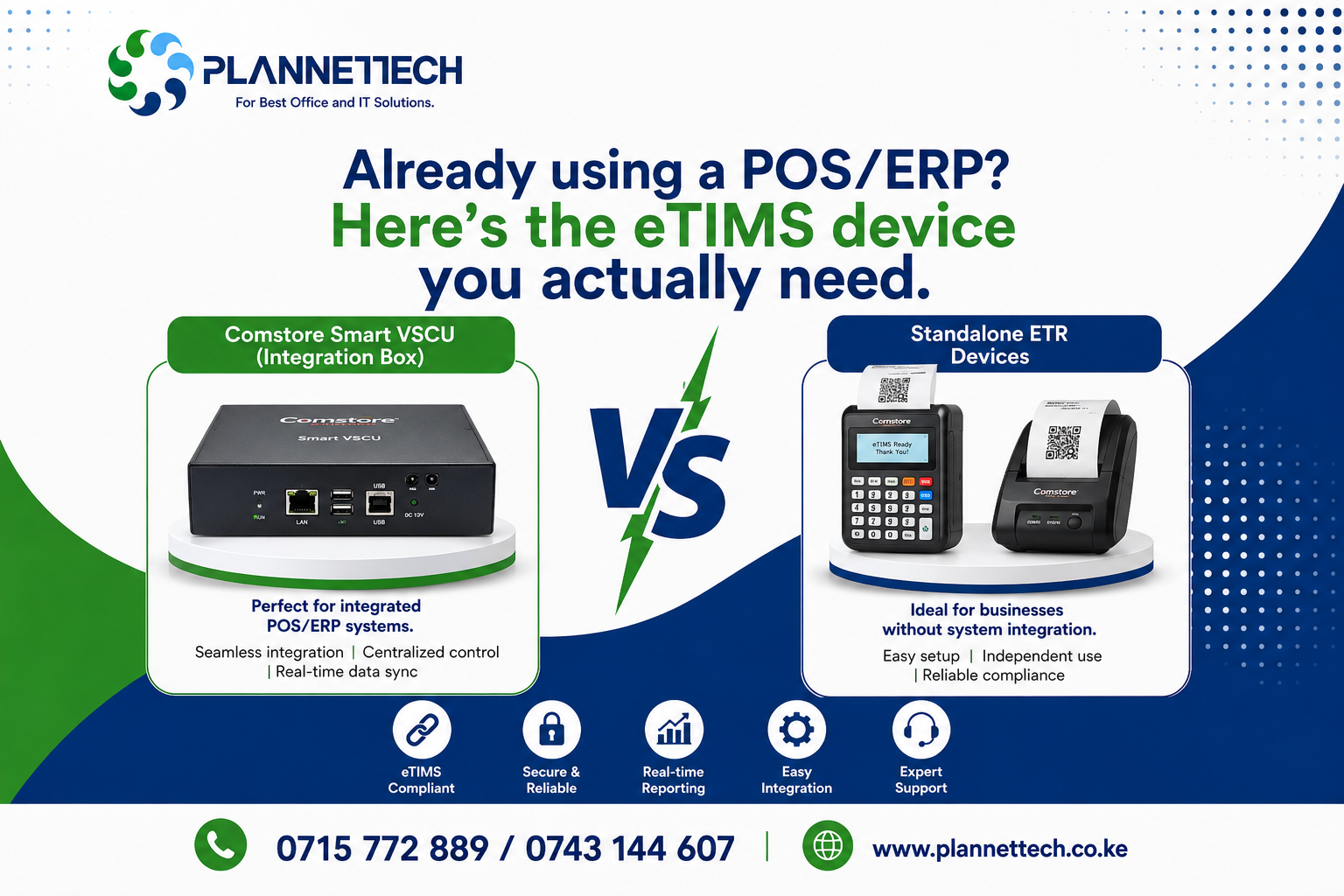
Comstore Smart VSCU vs Standalone eTIMS ETR — A Plannettech Buying Guide for Kenyan Businesses
If you already run a POS system, an ERP, or invoicing software for your shop, restaurant, or wholesale business, you don’t need another till-side box competing for counter space. What you need is the right eTIMS device that plugs into what you already have. This is where most Kenyan business owners get stuck: they walk into a hardware shop expecting a standalone ETR machine, when what their business actually needs is a Comstore Smart VSCU integration box working quietly in the background. Picking the wrong eTIMS device wastes money, doubles your work at the till, and can still leave you exposed to KRA penalties if invoices aren’t transmitting correctly.
This guide breaks down the two most searched eTIMS device options in Kenya today — the Comstore Smart VSCU and the standalone eTIMS ETR machine — so you buy the eTIMS device that fits how your business actually operates, not the one that’s easiest to sell you.
Why Choosing the Right eTIMS Device Matters
Since the KRA eTIMS rollout, every VAT-registered business — and increasingly every business full stop — must issue electronic tax invoices through an approved eTIMS device or system. Under the Finance Act, any business expense without a valid eTIMS invoice cannot be claimed for tax purposes, and KRA has also linked Tax Compliance Certificate applications to eTIMS registration status. This means the eTIMS device you choose isn’t just a receipting gadget; it directly affects your tax deductions, your compliance record, and how smoothly your daily sales flow.
For a full breakdown of the different KRA-approved paths, see our guide on eTIMS compliant devices in Kenya, which covers everything from basic Bluetooth printers to full ERP integrations.
What Is the Comstore Smart VSCU (eTIMS Integration Box)?
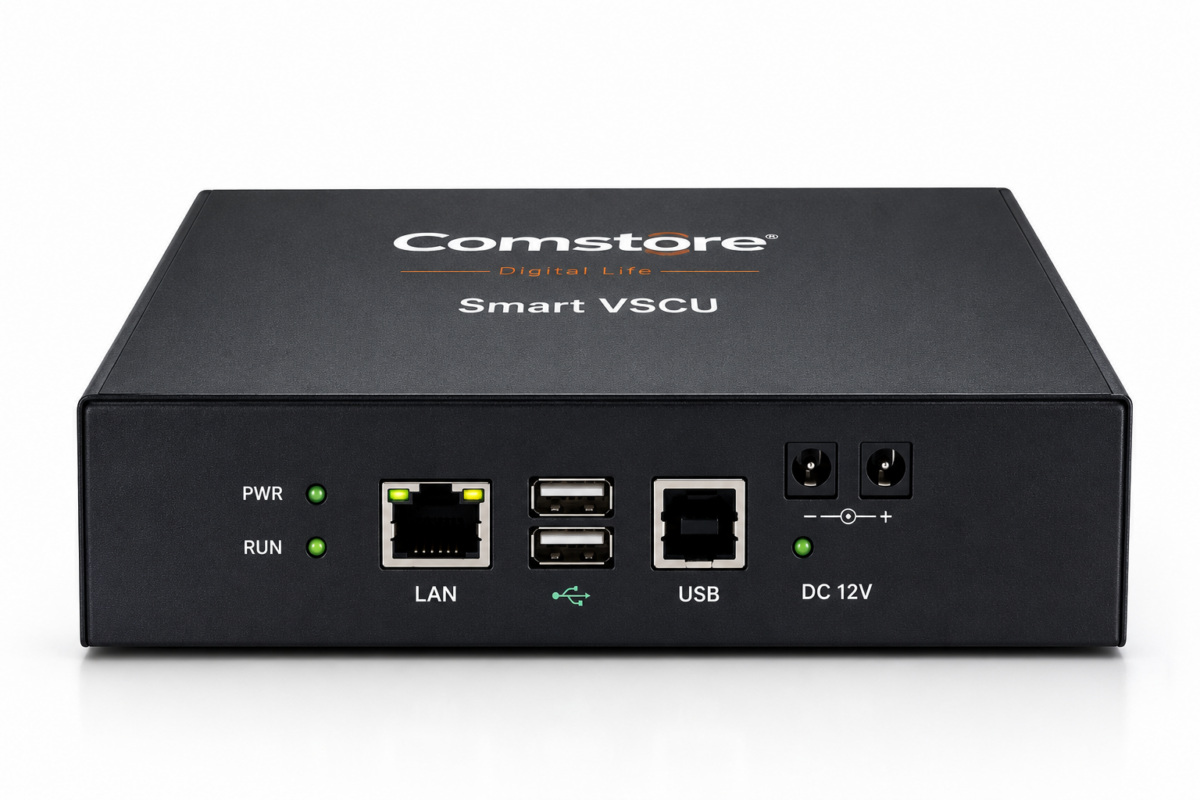
The Comstore Smart VSCU is an eTIMS integration box built for businesses that already have a POS, ERP, or invoicing system running. Instead of replacing what you use daily, this eTIMS device sits between your existing software and the KRA eTIMS server, automatically capturing every sale and transmitting it as a compliant invoice in real time.
KRA itself defines a Virtual Sales Control Unit (VSCU) as a system-to-system integration path designed for businesses handling bulk invoicing, especially where the invoicing system does not run online at all times. In practice, this means your cashiers and accountants keep working exactly as before — the eTIMS device handles compliance quietly in the background, with no double entry and no extra step at the till.
The Comstore Smart VSCU is best suited to:
- Supermarkets, wholesalers, and multi-branch shops already using an ERP or POS
- Businesses issuing a high volume of invoices daily where manual entry would slow down sales
- Companies that want eTIMS compliance without disrupting existing accounting workflows
- Growing SMEs preparing for scale, where a second manual system would quickly become unmanageable
What Is a Standalone eTIMS ETR Machine?
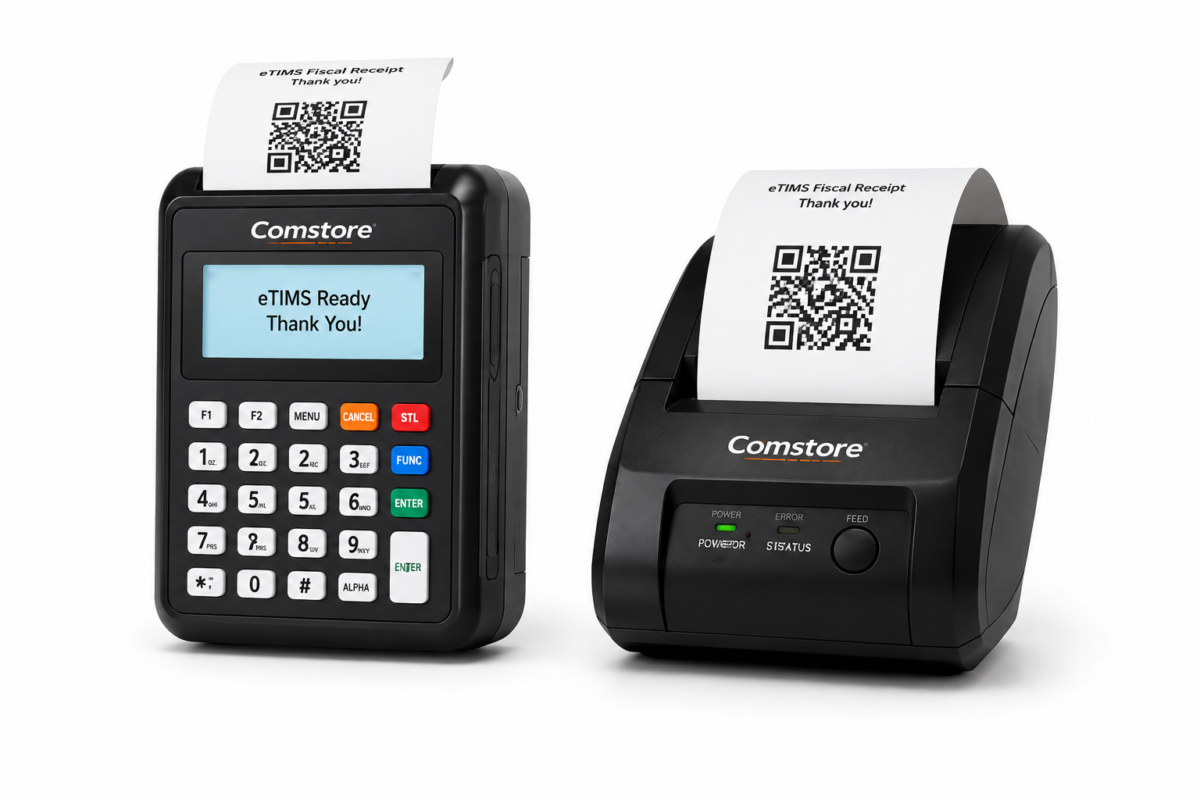
A standalone eTIMS ETR machine, like the Comstore eTIMS ETR, is a self-contained device for businesses that don’t yet run a POS or ERP system. It’s the eTIMS device you use directly: you key in the sale, hit print, and the machine generates and transmits a KRA-compliant invoice on the spot — no integration, no software setup, and no monthly ERP subscription.
This standalone eTIMS ETR machine is the right fit if:
- Your business has one till and doesn’t yet use dedicated POS or ERP software
- You want the fastest, simplest route to eTIMS compliance with minimal setup
- You run a kiosk, salon, pharmacy, or small retail outlet with straightforward daily sales
- You’d rather avoid the cost and technical steps of an integration project for now
We’ve broken down setup and daily use of this eTIMS device in our post on how to use the Comstore CRV ETR machine, including the exact steps from powering it on to printing your first receipt.
Comstore Smart VSCU vs Standalone ETR: Side-by-Side
| FEATURE | COMSTORE SMART VSCU (INTEGRATION BOX) | STANDALONE eTIMS ETR MACHINE |
| Best for | Businesses already running a POS or ERP system | Businesses with no existing POS or invoicing software |
| How it works | Sits between your existing system and KRA, auto-transmitting invoices | Standalone unit where you key in and print each eTIMS invoice directly |
| Setup effort | One-time integration with your POS/ERP; no change to daily workflow | Plug-and-play; no integration needed, but manual entry per sale |
| Ideal business size | Growing SMEs, multi-branch shops, wholesalers with high invoice volume | MSEs, kiosks, single-till shops, and startups with lower transaction volume |
| Duplicate data entry | None — invoices sync automatically from your existing system | None required, since it is the primary invoicing point itself |
| Typical cost driver | Integration/configuration fee plus the box itself | One-off device cost; no integration fee |
Advantages for SMEs and MSEs
The right eTIMS device pays off differently depending on the size and stage of your business. Here’s how each option benefits Kenya’s SMEs and MSEs specifically:
For growing SMEs: A Comstore Smart VSCU eTIMS device removes the compliance burden from your staff entirely. As transaction volumes grow, this eTIMS device scales with you — no re-keying invoices, no reconciliation headaches between your POS records and your eTIMS filings, and no risk of a cashier forgetting to issue a compliant receipt during a busy period.
For micro and small enterprises (MSEs): A standalone eTIMS ETR machine gets you compliant fast, with a lower upfront cost and none of the technical setup that integration requires. For a one-till shop, kiosk, or service business, this eTIMS device is often the more practical starting point — you can always move to an integrated VSCU setup later as your business grows and adds a POS system.
Both paths solve the same underlying problem in different ways: staying eTIMS compliant without adding unnecessary work to your day. The question isn’t which eTIMS device is ‘better’ in general — it’s which one matches your current systems and sales volume.
How to Decide Which eTIMS Device You Need
Ask yourself these three questions before you buy:
- Do I already use a POS or ERP system? If yes, a Comstore Smart VSCU integration box is almost always the right eTIMS device — buying a standalone ETR alongside your POS means running two systems and double the work.
- How many invoices do I issue per day? High daily volume favours the automated Comstore Smart VSCU; lower volume works comfortably on a standalone eTIMS ETR machine.
- Do I have IT support to handle integration? The Comstore Smart VSCU needs a short setup process connecting it to your existing system; Plannettech handles this for you, but it’s worth knowing before you commit.
Still unsure? Our guide, Not Sure Which KRA eTIMS ETR Device Your Business Needs?, walks through every KRA-approved option in more detail, and our quick guide Confused About KRA eTIMS Devices? helps you match a device to your business type in under two minutes.
Getting Your eTIMS Device Set Up With Plannettech
At Plannettech, we supply and set up both the Comstore Smart VSCU and the standalone eTIMS ETR machine, and we handle the KRA fiscalization process for you. Whether you need an eTIMS device that plugs into your existing ERP or a straightforward standalone unit for your till, our team configures it, links it to your KRA eTIMS account, and gets you issuing compliant invoices the same day. Browse our full range of eTIMS devices and ETR machines, or read our latest overview of eTIMS compliance in Kenya for the current rules affecting every Kenyan business.
Frequently Asked Questions
What is the difference between a Comstore Smart VSCU and a standalone eTIMS ETR machine?
A Comstore Smart VSCU is an eTIMS integration box that connects to a POS or ERP system you already use, automatically transmitting invoices to KRA. A standalone eTIMS ETR machine is a self-contained device you use directly to generate and print each invoice, with no integration required.
Do I need a POS system to use the Comstore Smart VSCU?
Yes. The Comstore Smart VSCU is an integration eTIMS device, so it needs an existing POS, ERP, or invoicing system to connect to. If you don’t have one yet, a standalone eTIMS ETR machine is the more suitable starting point.
Is a standalone ETR machine still KRA-approved for eTIMS?
Yes. Standalone eTIMS ETR machines remain a KRA-approved eTIMS device category, alongside VSCU and OSCU integrations and the eTIMS Client software. The right choice depends on your business setup, not on which option is more compliant.
Can I upgrade from a standalone ETR to a Comstore Smart VSCU later?
Yes. Many Kenyan MSEs start with a standalone eTIMS ETR machine and move to a Comstore Smart VSCU once they adopt a POS or ERP system and their invoice volumes grow. Plannettech can guide this transition when you’re ready.
How much does an eTIMS device cost in Kenya?
Pricing depends on the device type and whether integration is required. Standalone eTIMS ETR machines and Comstore Smart VSCU integration boxes are both available through Plannettech — contact our team for current pricing and a recommendation based on your business size.
What happens if I use the wrong eTIMS device for my business?
You risk unnecessary manual work, duplicate data entry, or a device that can’t keep up with your invoice volume. Matching the eTIMS device to your business setup from the start avoids these compliance and efficiency headaches.
Final Word
Whether you need a Comstore Smart VSCU to integrate quietly with your existing POS or ERP, or a standalone eTIMS ETR machine to get compliant fast, the right eTIMS device is the one that fits how your business already runs — not the other way round. Talk to the Plannettech team today, and we’ll help you choose, supply, and set up the eTIMS device that’s right for your business.
Sources: Kenya Revenue Authority — eTIMS Taxpayer Portal (etims.kra.go.ke) and KRA OSCU/VSCU Step-by-Step Sign-Up Guide.